What Is AI Workflow Automation and How Can It Help Your Business?
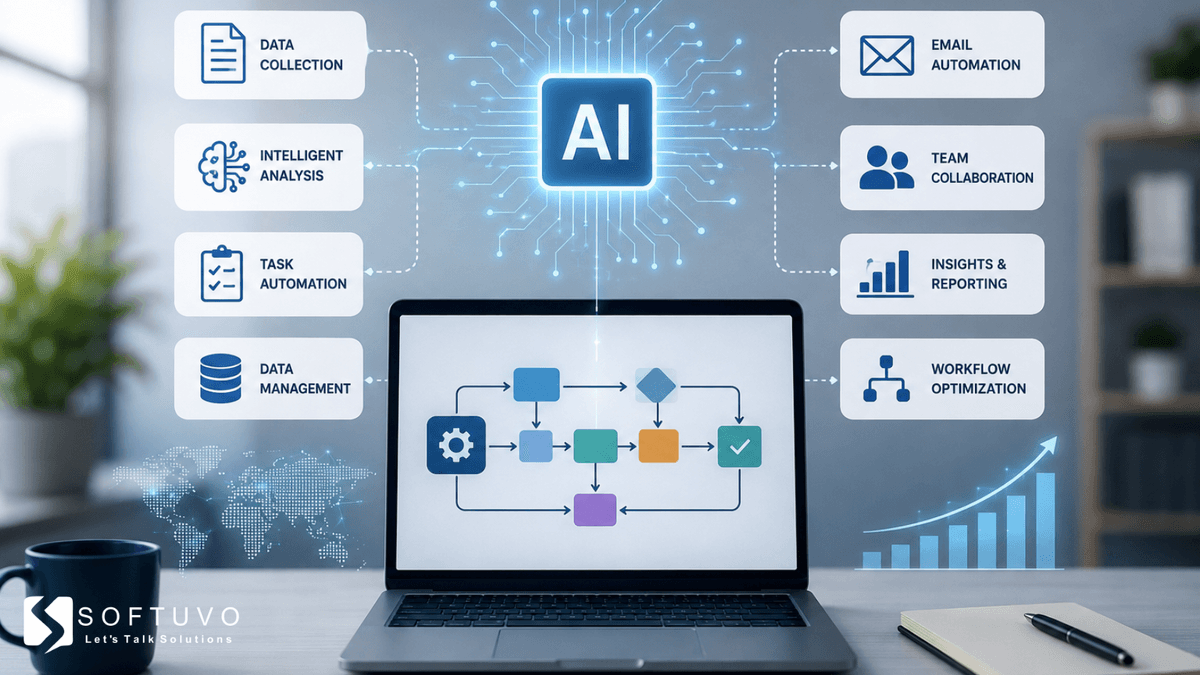
Most businesses don’t lose time because their employees are slow. They lose time because people are still doing work that software could handle automatically.
Copying information between systems. Sending follow-up emails. Updating spreadsheets. Assigning tasks. Checking documents. Creating reports. Moving a request from one department to another.
These small tasks may seem harmless individually, but when they happen hundreds of times every month, they quietly drain productivity.
AI Workflow Automation takes this a step further. It can understand incoming information, figure out what needs to happen next, and keep the process moving without requiring someone to handle every step manually.
The result? Businesses can spend less time managing repetitive processes and more time focusing on customers, strategy, innovation, and growth.
What Is AI Workflow Automation?
AI Workflow Automation is the use of artificial intelligence to automate, manage, and improve business workflows with minimal manual intervention.
A traditional workflow might look like this:
Customer submits request → Employee checks request → Data is entered → Request is assigned → Follow-up is sent → Status is updated
With AI-powered workflow automation, many of these steps can happen automatically:
Customer submits request → AI understands the request → Extracts relevant information → Assigns it to the right team → Updates the system → Sends a personalized response
The important difference is that AI doesn't simply move information from Point A to Point B.
It can interpret the information along the way.
For example, if a customer sends an email saying:
“My order arrived damaged and I need a replacement.”
An AI-enabled workflow can identify the request as a product replacement issue, extract the order information, check the relevant customer record, create a support ticket, prioritize the request, and route it to the appropriate team.
That is where AI automation becomes more powerful than basic rule-based automation.
How Is AI Workflow Automation Different From Traditional Automation?
Traditional automation works best when the process is predictable.
For example:
If a customer fills out a form → send confirmation email.
There is little ambiguity.
But real business processes aren't always that clean.
Customers use different words. Documents have different formats. Employees receive incomplete information. Emails contain unstructured text. Decisions sometimes depend on context.
AI can help handle these less predictable situations.
Traditional Automation | AI Workflow Automation |
Follows predefined rules | Can interpret information |
Works best with structured data | Can work with structured and unstructured data |
Limited decision-making | Context-based decision support |
Requires highly predictable workflows | Can handle more variation |
Trigger-based | Can analyze, classify, summarize, and recommend |
Usually task-focused | Can manage broader workflow stages |
This doesn't mean AI should make every business decision independently.
In many cases, the best approach is AI + human oversight.
AI handles repetitive analysis and routine actions, while employees remain responsible for decisions that require judgment, expertise, or accountability.
Where Can Businesses Use AI Workflow Automation?
One of the biggest advantages of AI workflow automation is that it isn't limited to a single department.
It can be applied wherever employees repeatedly collect information, process it, make routine decisions, or move work between systems.
1. Customer Support
Customer service teams deal with large volumes of repetitive requests.
AI can help:
Classify incoming support tickets
Identify customer intent
Prioritize urgent requests
Suggest responses
Summarize conversations
Route tickets to the right team
Trigger follow-up messages
Update CRM records
Instead of agents spending their time sorting hundreds of requests, they can focus on conversations that genuinely need human attention.
2. Sales and Lead Management
Sales teams often waste valuable time managing leads rather than actually selling.
With AI automation for business, incoming leads can be automatically analyzed based on factors such as industry, company size, location, engagement, and previous interactions.
A workflow could look like:
New lead → AI qualification → Lead scoring → CRM update → Salesperson assignment → Personalized follow-up
This can help sales teams respond faster without adding more administrative work.
3. Marketing Operations
Marketing involves dozens of connected activities.
AI can help automate workflows such as:
Content published → performance data collected → engagement analyzed → audience segment identified → follow-up campaign triggered
AI can also summarize campaign results, identify unusual changes in performance, and help marketers decide where deeper analysis is needed.
The goal isn't to remove marketers from the process.
It's to remove the repetitive work surrounding marketing decisions.
4. Finance and Accounting
Finance teams handle documents and transactions that often follow repeatable processes.
AI process automation can assist with:
Invoice data extraction
Expense categorization
Payment reminders
Document verification
Purchase order matching
Financial report preparation
Exception identification
For example, instead of manually reading every invoice and entering the same information into an accounting system, AI can extract the relevant details and send unusual cases to an employee for review.
5. Human Resources
HR teams can automate several administrative workflows without turning employee interactions into completely automated experiences.
Examples include:
Resume screening assistance
Interview scheduling
Employee onboarding workflows
Document collection
Policy question routing
Training reminders
Employee request classification
A new employee could automatically receive the correct onboarding documents, training tasks, system-access requests, and reminders based on their role.
What Does an AI-Powered Workflow Actually Look Like?
Let's take a simple example.
Imagine an online business receives hundreds of customer refund requests every week.
Without AI
An employee:
Opens the email
Reads the customer's message
Finds the order
Checks the refund policy
Determines whether the request qualifies
Updates the CRM
Sends a response
Creates a finance request if required
One request may take several minutes.
Multiply that by hundreds of requests and the workload quickly becomes significant.
With AI-Powered Workflow Automation
The workflow could become:
Email received → AI reads and classifies request → Order details identified → Policy checked → Eligible requests routed automatically → CRM updated → Customer receives appropriate response → Exceptions sent to an employee
Now employees aren't processing every request manually.
They're mainly handling the cases where human judgment is actually valuable.
That's the real opportunity.
Core Benefits of AI Workflow Automation for Business
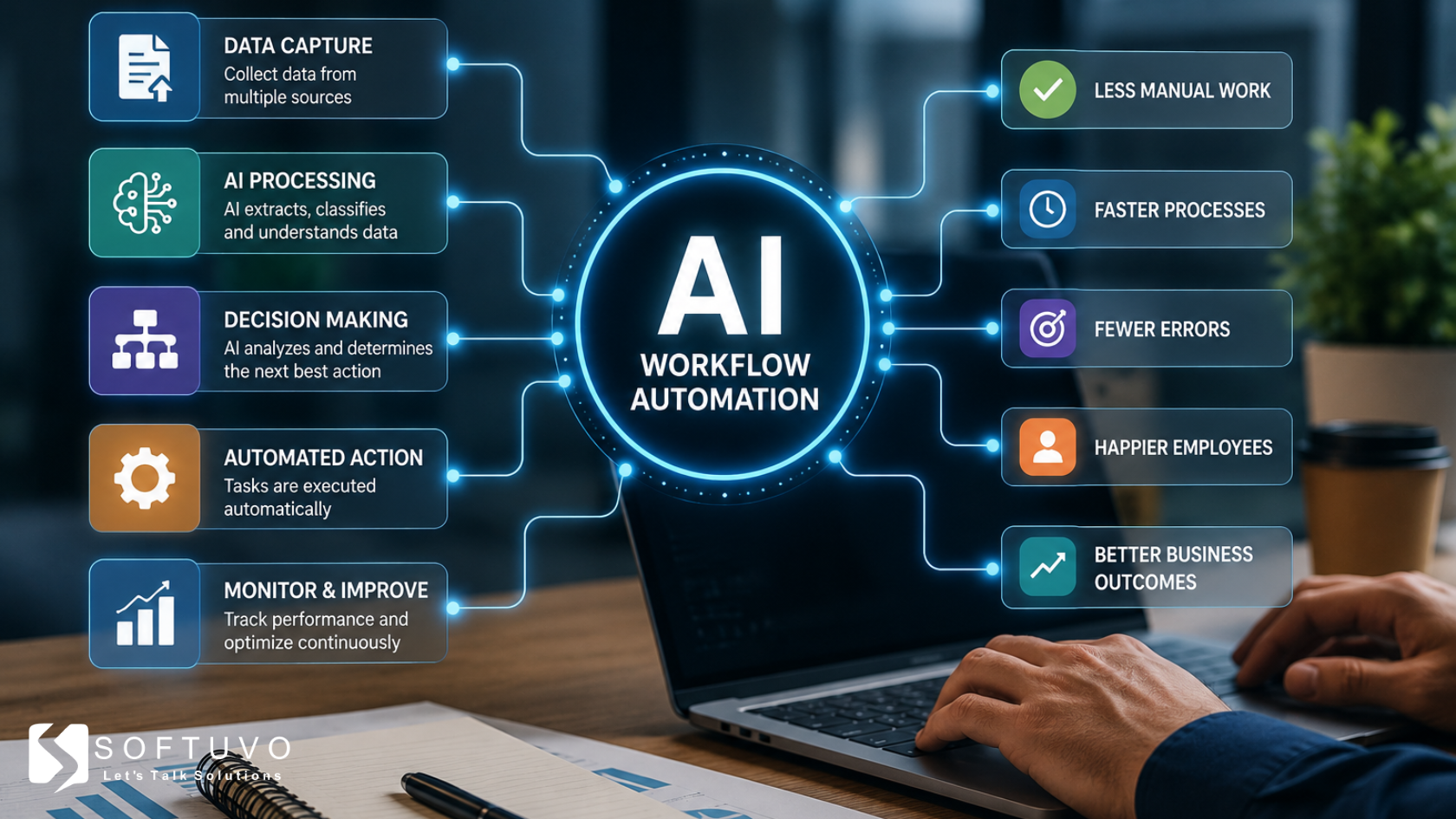
Implementing AI automation for business shifts employee time from repetitive manual administration to high-value strategic initiatives.
Elimination of Operational Bottlenecks: AI ingests, classifies, and routes document processing, lead intake, and support tickets in real time rather than waiting in team queues.
Reduction in Human Error: By removing manual data re-entry across platforms, businesses drastically reduce compliance violations and accounting errors.
24/7 Context-Aware Customer Engagement: AI agents go beyond static auto-replies by using customer history, accessing internal databases, and helping handle complex, multi-step support requests with greater speed and context.
Measurable Cost and Time Savings: Teams deploying multi-app AI workflows report saving approximately 10 to 20 hours per week per employee on administrative tasks.
5 Steps to Implement AI Process Automation
Map High-Volume Repetitive Work: Identify tasks that consume significant team hours and involve standard data transfers or first-line communication.
Audit Data Cleanliness: Ensure your knowledge bases, document repositories, and CRMs are organized, as AI model outputs depend directly on data quality.
Choose the Right Tool Stack: Combine orchestration platforms (like Make, Zapier, or n8n) with specialized AI models or agent frameworks tailored to your industry.
Implement "Human-in-the-Loop" Safeguards: Start with AI generating recommendations or drafts that require human sign-off before auto-executing sensitive tasks.
Monitor and Iterate: Measure time savings, error reduction, and customer response metrics to continuously tweak prompts and routing conditions.
Make Your Workflows Smarter With Softuvo
AI automation works best when it solves real business problems, not when it is added just for the sake of technology. Softuvo helps businesses build practical AI-powered workflow automation that reduces repetitive work, connects processes, and improves team productivity.
Smarter workflows start with the right strategy. Explore AI automation with Softuvo today.