5 Common Cloud & Infrastructure Problems and How Businesses Can Fix

Managing cloud infrastructure often feels like keeping a massive, complex engine running. As companies grow, their digital tools, storage, and software applications expand across multiple online platforms. Without clear guardrails, the engineering teams responsible for keeping these systems online, often called Site Reliability Engineers (SREs), can easily become overwhelmed by non-stop maintenance work.
When engineers spend all their time putting out daily fires, business growth slows down, security risks rise, and cloud budgets balloon out of control.
Resolving these headaches doesn't require overworking your tech staff or overhauling your entire setup overnight. Here are five common cloud infrastructure problems companies face and how to fix them in plain, straightforward terms.
1. Uncontrolled Spend (Paying for Unused Digital Space)
The Challenge: Think of cloud storage like renting hotel rooms. It’s easy for team members to book a room for a quick project and forget to check out when they’re done. Over time, companies end up paying monthly rent for dozens of empty, unused digital rooms. SRE teams then waste hours playing detective to find out who ordered what and where money is being wasted.
The Fix:
Set Clear Spending Ownership: Assign direct accountability so every department sees and owns their cloud expenses.
Use Automatic Scaling: Set your systems to automatically shrink during slow hours (like nights and weekends) and expand only when customer traffic spikes.
Automate Cleanups: Use smart software tools to automatically identify and delete abandoned data and inactive servers on a regular schedule.
2. Alert Fatigue (Too Many Alarms, Not Enough Context)
The Challenge: When a company uses dozens of different software systems, every tool has its own alarm system. When something goes wrong, engineers get hit with dozens of conflicting alerts at once. It’s like a smoke detector blaring in a skyscraper, but nobody knows which floor or room has the actual fire.
The Fix:
Centralize Your Monitoring: Bring all data streams into a single dashboard so your tech team gets one clear picture instead of checking five different screens.
Standardize Labels: Clearly tag every digital asset by owner and purpose so anyone can see exactly which business service is affected during an outage.
Streamline Incident Response: Consolidate your health metrics, uptime tracking, and security alerts into a unified view so engineers get actionable insights instead of raw noise.
3. Drift from Standard Rules (Unplanned System Changes)
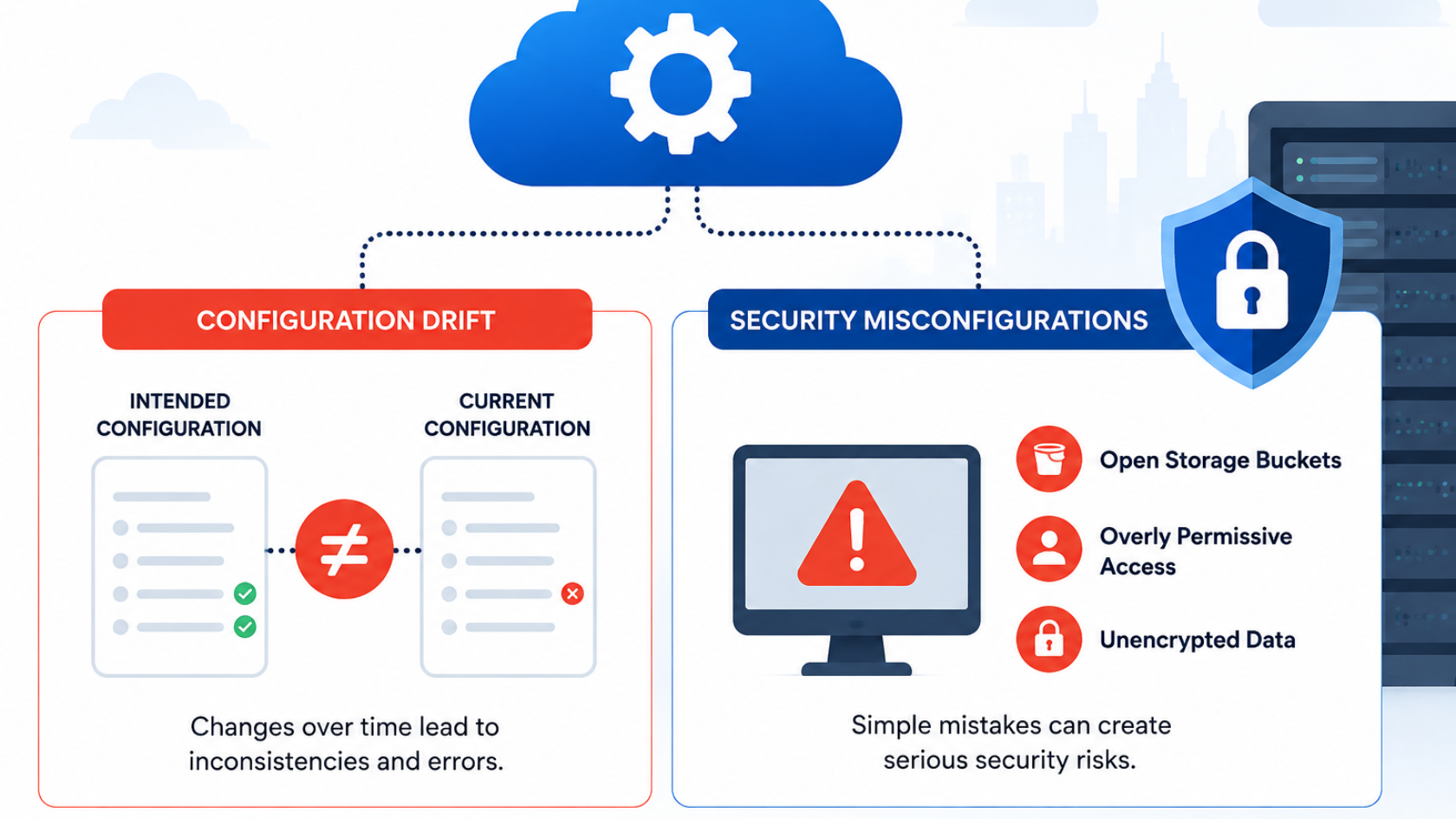
The Challenge: Imagine building a house from a blueprint, but over time, different workers make quick, undocumented repairs, adding a door here, removing a wall there. Eventually, the real building no longer matches the original plan, creating hidden safety vulnerabilities. In tech, these off-blueprint changes are called "configuration drift," and they invite security breaches.
The Fix:
Use Written Blueprint Templates: Manage your infrastructure through strict, pre-approved code files. If a change isn't in the template, it doesn't get built.
Automate Security Audits: Deploy security guardrails that constantly scan your cloud setups and automatically revert any unauthorized, manual tweaks back to the official standard.
4. Operational Overload (Engineers Trapped in Repetitive Work)
The Challenge: Highly skilled engineers often spend up to half their workweek on repetitive, low-value chores, like running manual software updates, creating routine file backups, or resetting configurations. This leads to burnout and leaves them with zero time to build new features for your customers.
The Fix:
Automate Everyday Chores: Set up automated workflows for regular updates, backups, and software testing so no human has to press the buttons manually.
Bring in Dedicated Operational Support: Partner with cloud service experts to take care of daily, baseline maintenance. This frees up your internal team to focus entirely on building profitable products.
5. Vendor Lock-In (Getting Trapped with One Provider)
The Challenge: Building your entire business on one cloud provider's custom, exclusive tools makes it extremely difficult to switch later. If that provider raises prices or changes terms, moving your data away becomes so expensive and complicated that your business gets stuck.
The Fix:
Use Universal Digital Packages: Package your applications using universal standards (like Docker containers) that can run smoothly on any platform.
Build Portable Systems: Design your tech stack using open standards so your tools and data can easily move between different cloud vendors without breaking.
Tools like Opservo can make this easier by bringing cloud monitoring, health scoring, security posture, uptime and incident alerts, and AI-assisted diagnosis into one place. This gives IT teams a clearer view of their infrastructure and helps them identify issues faster.
See How Opservo Simplifies Cloud Monitoring
Quick Fix Guide
Cloud Challenge | What It Means in Plain English | Simple Fix Strategy |
Uncontrolled Spend | Paying for empty digital "rooms" and unused servers | Set spending limits and run automatic cleanup scripts |
Alert Fatigue | Too many noisy alarms making it hard to find real issues | Bring monitoring metrics together into one clear view |
System Drift | Making quick fixes that don't match the original plan | Enforce strict digital blueprints and automated security checks |
Operational Overload | Skilled engineers wasting time on manual daily chores | Automate routine tasks and delegate baseline maintenance |
Vendor Lock-In | Getting stuck with one supplier because moving is too hard | Build software using universal, flexible standards |
Moving Forward
Fixing cloud issues doesn't require rebuilding your technology from scratch. By addressing these five core points of friction, non-technical business leaders and SRE teams can work together to lower costs, protect data, and eliminate operational burnout.
Ready to scale your infrastructure without adding SRE overhead? Streamline your server operations with Opservo, developed in-house by Softuvo and back your growth with our end-to-end cloud engineering expertise.
Talk to the Softuvo Team Today to simplify your cloud setup and keep your developers focused on building.
Cloud & infrastructure
Managed cloud infrastructure with cost, security and uptime under control
Softuvo plans migrations, runs cloud operations and keeps spend visible, so your product team stays focused on the product.
Prefer email? Write to [email protected] or use the contact form.